
-
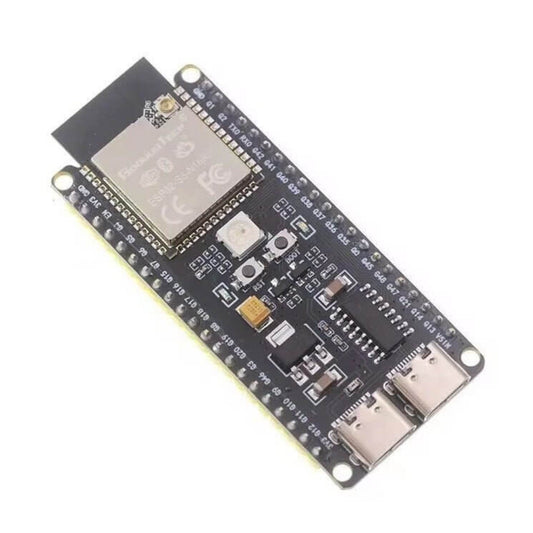
ESP32 Dev Board - 30-Pin, USB-C, WiFi & Bluetooth Module
Regular price HK$65.00Regular price -
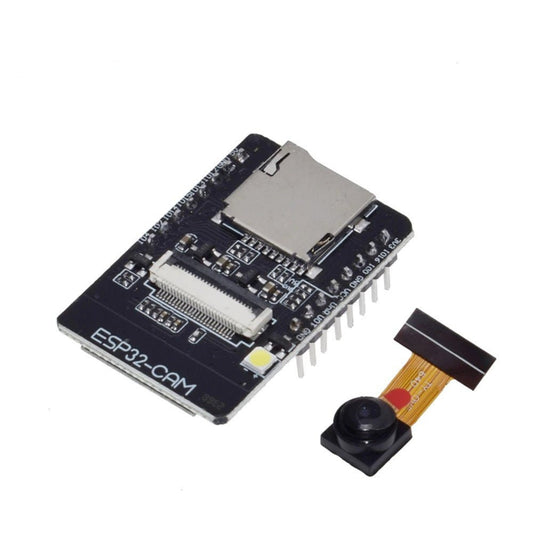
ESP32-CAM WiFi & Bluetooth Development Board with OV2640 Camera
Regular price HK$78.00Regular price -
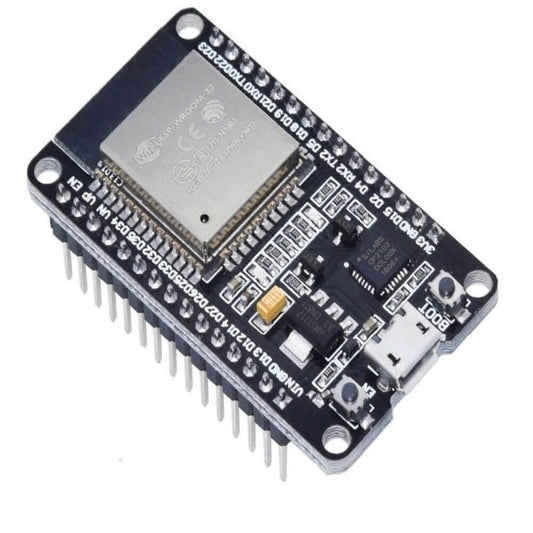
ESP32 DEVKIT V1 WiFi & Bluetooth Development Board (30-Pin CH9102)
Regular price HK$65.00Regular price -
Arduino Nano ESP32 with Headers – ABX00083 | Wi-Fi, Bluetooth
Regular price HK$215.00Regular price -
MAX98357A I2S Class D Audio Amplifier Module (Pre-Soldered) for ESP32
Regular price HK$25.00Regular price -
ESP32-S3-N16R8 AI Dev Board | 16MB Flash, 8MB PSRAM, Type-C
Regular price HK$95.00Regular price -
ESP8266 ESP-01/01S USB Programmer Downloader, Auto Firmware Flash Tool
Regular price HK$25.00Regular price -
ESP8266 ESP-01S 5V WiFi Relay Module (Supports APP Remote Control)
Regular price HK$25.00Regular price -
ESP32-S3-Zero-M Mini Development Board with Pre-Soldered Headers
Regular price HK$79.00Regular price -
ESP32 WROOM-32D Dev Board with 0.96" OLED Display & Type-C (WiFi+BT)
Regular price HK$85.00Regular price -
ESP32-C3 Mini Development Board - Wi-Fi/Bluetooth 5 LE, RISC-V
Regular price HK$49.00Regular price -
ESP32-CAM-MB CH340 Micro USB Programmer Board for ESP32-CAM
Regular price HK$35.00Regular price -
ESP32 38-Pin Power Expansion Board | Type-C, Micro USB & DC Input
Regular price HK$35.00Regular price -
ESP32 WiFi Bluetooth 2.8" TFT LCD Touch Development Board
Regular price HK$169.00Regular price -
ESP32 30-Pin Expansion Board | DevKitC Breakout | Type-C & DC Power
Regular price HK$19.00Regular price -
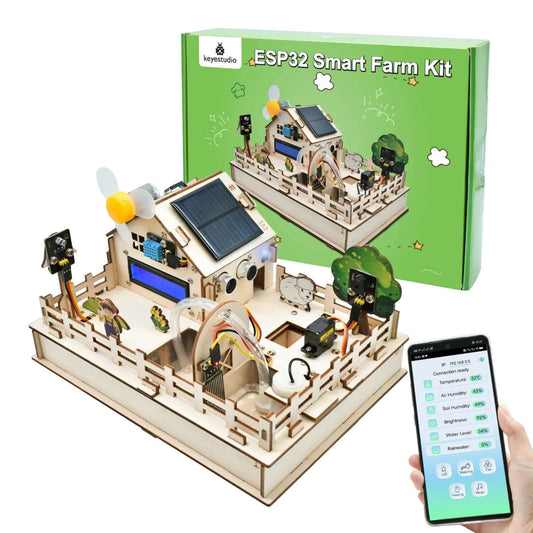
Keyestudio ESP32 Smart Farm IoT DIY Kit
Regular price HK$599.00Regular price





ESP32 Microcontroller Specifications Guide
Selecting the correct ESP32 variant depends on your project's processing needs, power constraints, and required peripherals. Here is a technical breakdown of our core ESP32 lineup:
| Board / Module Type | Key Technical Features | Best Use Case |
|---|---|---|
| Standard ESP32 (WROOM) | Dual-core 240MHz, Built-in Wi-Fi & Bluetooth | General IoT nodes, smart home automation, and sensor data logging. |
| ESP32-CAM (with OV2640) | 2MP Camera, MicroSD slot, High-brightness Flash LED | Wireless surveillance, time-lapse photography, and basic image recognition. |
| ESP32-S3 / C3 / C6 Series | AI acceleration (S3), RISC-V architecture (C3), Wi-Fi 6 (C6) | Edge computing, ultra-low power wearables, and next-gen networking. |
| ESP32 Expansion Boards | Screw terminals, built-in 18650 battery holders, or relays | Simplifying wiring and providing stable external power without breadboards. |
Important Note (Voltage Limitations & Brownout Hazards): The ESP32 operates strictly on 3.3V logic. Connecting traditional 5V Arduino sensors directly to the ESP32's GPIO pins will instantly destroy the microcontroller. Always use a Logic Level Converter. Furthermore, the ESP32 draws significant current spikes (up to 500mA) when the Wi-Fi radio transmits. Powering it from a cheap USB cable or a weak PC port often leads to a Brownout Detector was triggered error, causing infinite reboot loops. Always use a high-quality USB cable and a stable 5V/2A power supply.
Frequently Asked Questions (FAQ)
Q: Why is my computer not recognizing the ESP32 board in the Arduino IDE?
A: Most ESP32 development boards use either the CP2102 or CH340 USB-to-UART bridge chips. Windows and macOS do not always install these drivers automatically. You must manually download and install the specific CP2102 or CH340 driver for your operating system. Once installed, a new COM port will appear in your IDE.
Q: Why can't I upload code to my ESP32-CAM?
A: The standard ESP32-CAM module does not have a built-in USB-to-TTL chip, meaning you cannot plug a USB cable directly into it to upload code. You must purchase an "ESP32-CAM-MB Programmer Board" or use a dedicated FT232RL/CH340 USB-to-TTL serial adapter. If using a serial adapter, you must also short GPIO 0 to GND to force the board into flashing mode.