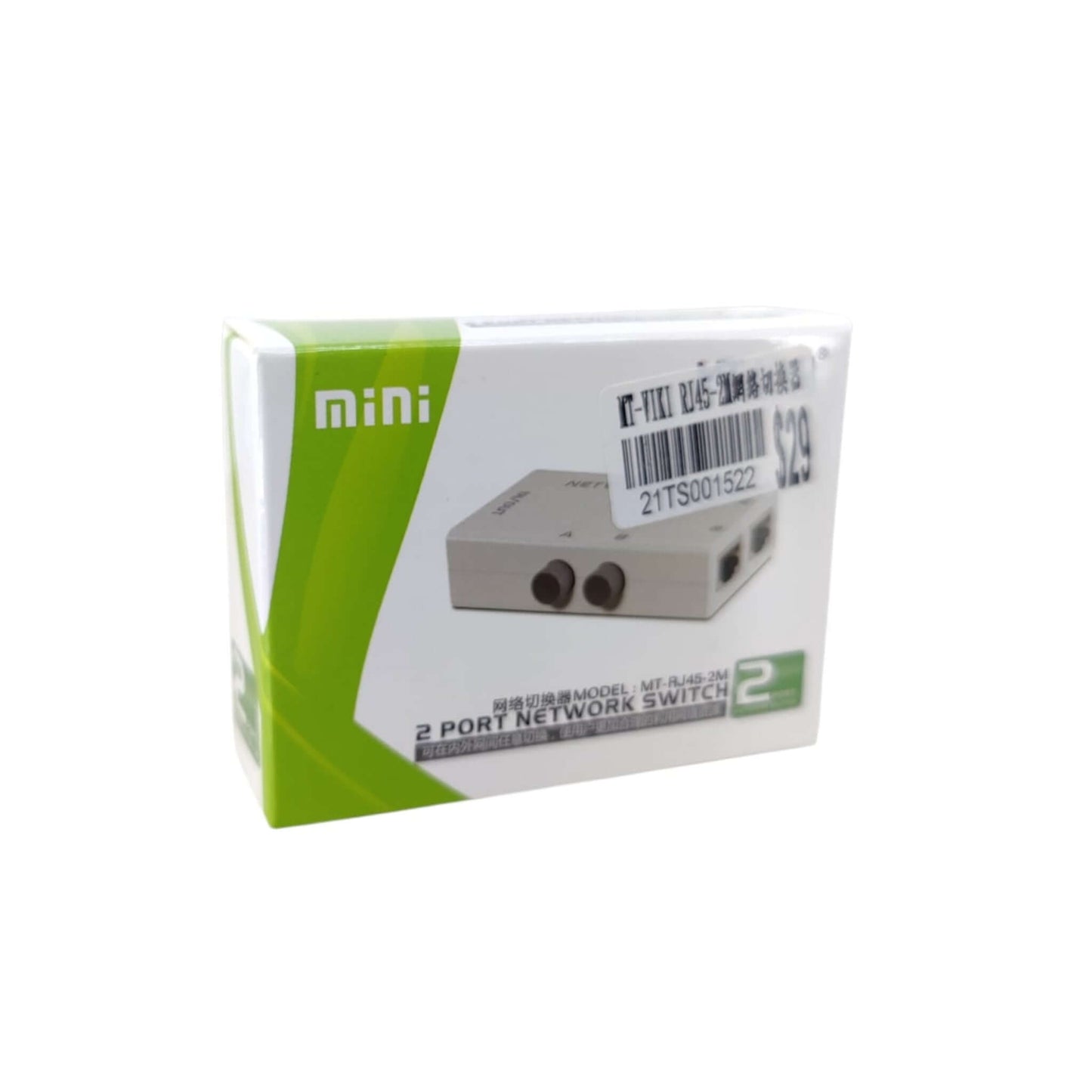


MT-VIKI 2-Port RJ45 Network Selector Switch | 100M Ethernet Splitter
MT-VIKI 2-Port RJ45 Network Selector Switch | 100M Ethernet Splitter
Couldn't load pickup availability
Short Product Description
Short Product Description
Tired of constantly plugging and unplugging network cables? The MT-VIKI 2-Port Network Switch offers a seamless, manual solution for managing your connectivity. Whether you need to share one internet source between two computers or toggle one PC between two different networks (like Internal LAN vs. External Web), this passive selector does it all. With physical isolation and no power required, it’s the ultimate plug-and-play tool for secure and efficient home or office networking.
Key Features
Key Features
- Manual Toggle Switch: Instantly switch between networks with a simple press of a button—no software needed.
- Physical Isolation: Zero electrical interference between ports ensures a secure and stable connection.
- Bi-Directional Use: Supports 2-in-1-out or 1-in-2-out configurations for maximum setup flexibility.
- No Power Required: Fully passive design saves energy and eliminates the need for extra wall outlets.
- Compact & Durable: Small footprint (approx. 7.9cm x 5cm) fits easily into any workspace or travel bag.
- High Compatibility: Works with all RJ45 network cables and devices including PCs, Routers, and Game Consoles.
Full Product Description
Full Product Description
Secure Your Connection with Physical Network Isolation
In an era where cybersecurity is paramount, the MT-VIKI 2-Port Network Switch provides a robust layer of protection. Unlike software-based toggles, this device utilizes a mechanical switch to create total physical isolation between networks. This means there is no electrical circuit between your "A" and "B" lines, preventing data leakage and interference—perfect for government, financial, or private lab environments where "Internal" and "External" networks must never meet.
Dual-Functionality: 2-in-1-Out or 1-in-2-Out
This versatile hub is designed for flexibility.
- Scenario A: Use it as a selector to connect two different broadband providers to a single workstation.
- Scenario B: Use it to share a single internet line between two different PCs (one active at a time). The manual button interface ensures you are always in control of which device is online.
True Plug-and-Play Simplicity
Forget about messy power adapters or complex driver installations. This passive Ethernet switch requires no external power. Its compact, lightweight plastic housing makes it portable and easy to tuck away behind your monitor or under your desk. Supporting speeds up to 100Mbps, it is the ideal companion for standard office tasks, streaming, and secure data browsing.
Package included:
- 2 Port Network Switch x 1
Technical Specifications
Technical Specifications
- Model: MT-RJ45-2M
- Interface: RJ45 8P8C
- Data Rate: 10/100 Mbps
- Switch Type: Mechanical manual push button
- Power: No external power supply needed
- Housing Material: Engineering plastic
- Dimensions: 7.9 × 5.0 × 2.2 cm (3.11 × 1.97 × 0.87 in)
Delivery Options
Delivery Options
- Local delivery within Hong Kong and in-store pickup.
- Free shipping for orders of HK$400 or above; HK$35 shipping fee for orders below HK$400.
- Shipped by SF Express, usually dispatched the same day for orders confirmed before 6:00 PM (Mon–Sat).
- Estimated delivery time: 1–3 business days after dispatch (Hong Kong).
- In-store pickup details (location and time) will be confirmed by email or phone message.
- Delivery times are estimates and may be affected by weather or unforeseen circumstances.
FAQ Section
FAQ Section
Can both computers access the internet at the same time?
No, this is a manual selector switch. It allows you to toggle between two connections, but only one path is active at any given time.
Does this switch affect my internet speed?
The switch supports up to 100Mbps. It provides a direct physical pass-through, so it will not degrade your speed as long as your service and cables are within the 100M limit.
Is it safe for switching between a secure office LAN and the public internet?
Yes. Because it uses physical isolation, there is no electrical path between the two ports, making it much safer than a software-based switch.
Target Users / Applications
Target Users / Applications
- IT Professionals: Testing different network environments without re-cabling.
- Security Conscious Users: Toggling between a secure "offline" workstation and a public internet line.
- Home Offices: Switching one PC between a work VPN line and a personal home broadband line.