
-
HDMI 2.0b Switcher 3 in 1 Out - 4K@60Hz UHD HDR with Remote
Regular price HK$350.00Regular price -
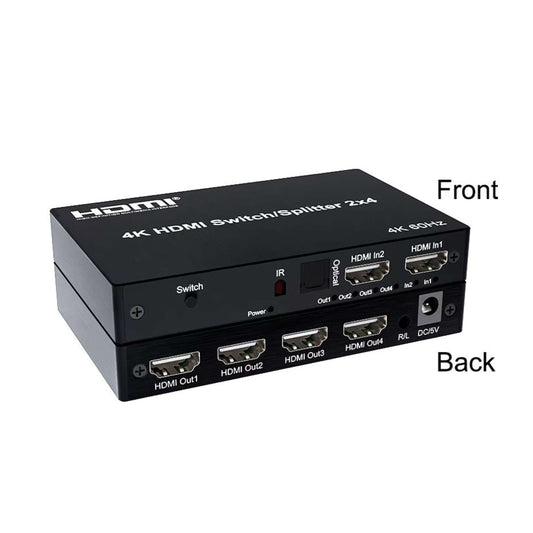
4K 60Hz HDMI 2x4 Switch Splitter with Audio Extractor
Regular price HK$380.00Regular price -
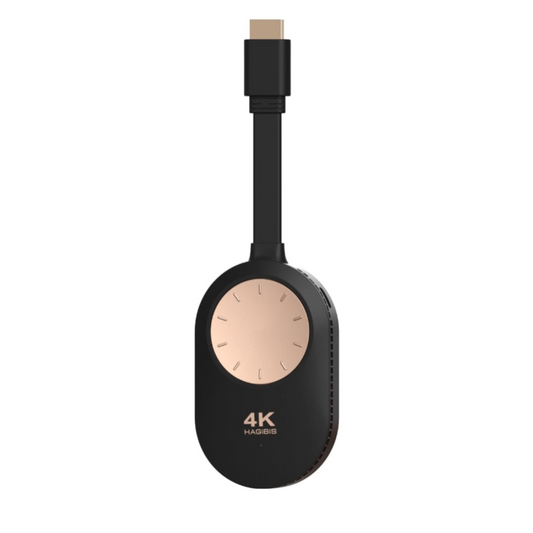
Hagibis 4K 60Hz Wireless HDMI Display Dongle Adapter for Phone/Tablet
Regular price HK$249.00Regular price -
8K HDMI 2.1 Bi-Directional Switch | 2-In-1-Out Splitter
Regular price HK$98.00Regular price


Technical Guide to HDMI Routing & Conversion
Selecting the correct HDMI routing device dictates your entire audio-visual architecture. Here is a technical breakdown of our core HDMI management solutions:
| Device Type | Signal Routing | Best Use Case |
|---|---|---|
| HDMI Switch (Switcher) | Multiple Inputs → 1 Output | Connecting a PS5, Xbox, and PC to a single HDMI port on a TV. |
| HDMI Splitter | 1 Input → Multiple Outputs | Duplicating one video source to multiple TVs simultaneously (e.g., retail displays). |
| HDMI Audio Extractor | HDMI In → HDMI Out + Optical/3.5mm | Extracting digital audio from an Apple TV or console to an external sound system. |
| HDMI Extender (over LAN) | HDMI → Cat5e/Cat6 → HDMI | Transmitting 1080p/4K signals over 50 meters without signal degradation. |
Important Note (HDCP & Cabling Limitations): When using an HDMI over Ethernet extender, you must use pure solid copper Cat6 cables. Cheap CCA (Copper Clad Aluminum) network cables will cause severe signal degradation and screen flickering. Additionally, HDMI splitters strictly mirror the image; they cannot "extend" a PC desktop across two different monitors. For extended dual-monitor setups, your PC graphics card must have multiple independent video outputs.
Frequently Asked Questions (FAQ)
Q: Why does my screen go black for a few seconds when using an HDMI switch?
A: This is caused by the HDCP (High-bandwidth Digital Content Protection) handshake process. When you switch inputs, the display and the source device must re-authenticate the encryption protocol. High-end switches minimize this delay, but a 1 to 3-second blank screen is a normal physical limitation of the HDMI standard, not a hardware defect.
Q: I bought an HDMI to AV converter, but there is no picture. Why?
A: Active signal converters require an internal DAC (Digital-to-Analog Converter) chip to process the signal. This chip requires power. You must plug the included USB power cable into a 5V USB port or wall adapter. Without external USB power, the converter will not output any video.